Chatbots for Learning: Ways to Gamify Your Chat-Based Learning Environment
Chatbotshave been steadily gaining attentionfor their cost- and time-saving benefits in customer service and sales support roles. With thecorrect application of chatbots, businesses are able to automate repetitive tasks and optimise their operational processes, while simultaneously creating a positive customer experience.
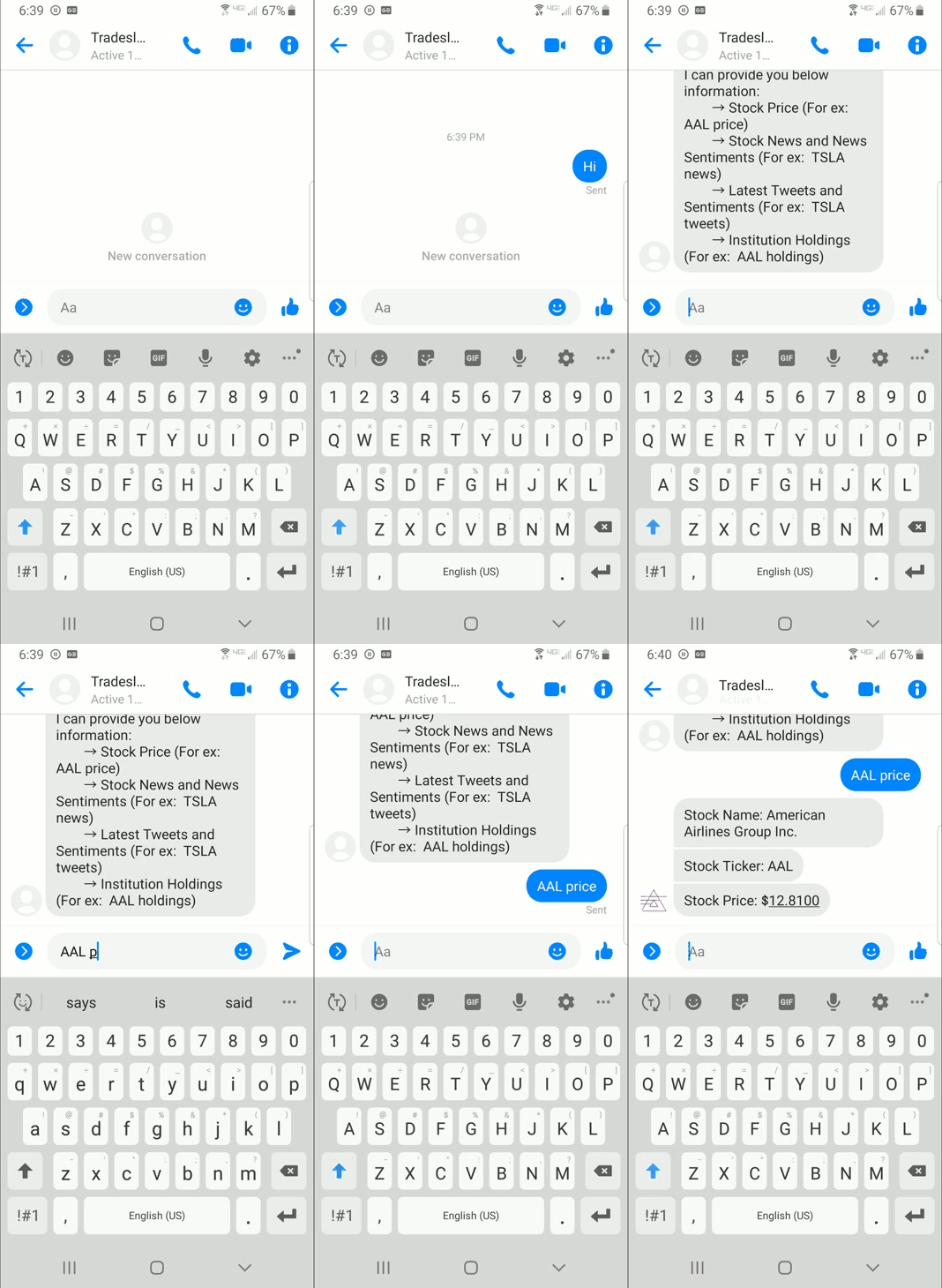
Finance chatbots can provide support anywhere in the world to any user. They are available 365 days a year and can answer a question 24/7, solve common issues quickly like, resetting a password, managing transactions, or finding the nearest open office. Chatbots can handle multiple requests at a time. They decrease user waiting time and resolution time. Chatbots save 4 minutes per inquiry as compared to traditional call centers.
5 Best Resources for learning NLP — Natural Language Processing
“You don’t understand anything until you learn it more than one way.” — Marvin Minsky
Natural language processing provides ability to the machines to understand and interpret human language. This is one of the subdomains in Artificial Intelligence.
The power of natural language processing has changed the way we interact with the devices around us. It has let us interact, search, order a machine the language humans use in day to day life. NLP has applications in almost every domain Medical, E-Commerce, Defence etc., The widespread adoption of this technology has lead to rapid development in the recent times.
In this article, I will list out 5 major resources to get started with NLP.
Before we begin, There are some pre-requisites in order to understand the following materials.
Python
Calculus, Linear Algebra, Basic Probability and Statistics
Foundations of Machine learning
1. Stanford CS224N
The first and foremost resource would be the lectures by Stanford. This course starts with the basics, word embeddings. Neural networks, Backpropogation, Dependency parsing, Language models, RNN, seq to seq, Attention, Transformers. It is a perfect resource to get started as it gives strong foundations about all the topics.
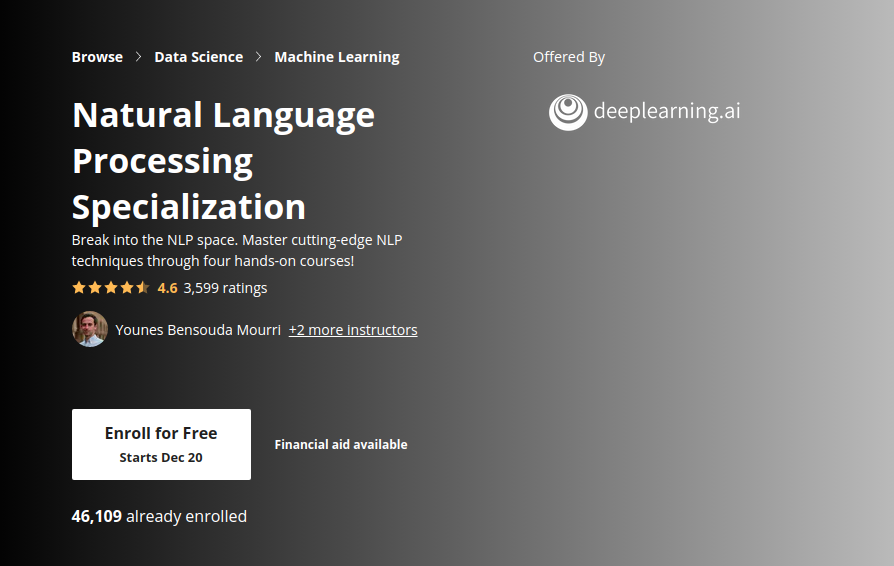
This course focuses more on application based learning. Various tasks like sentiment analysis, Question Answering, Translation, Summarization, Chatbots are covered. This is a more structured specialization. The specialization is divided into four courses. Specialization requires you to subscribe. But if you take the courses separately you can audit the courses and access the contents.
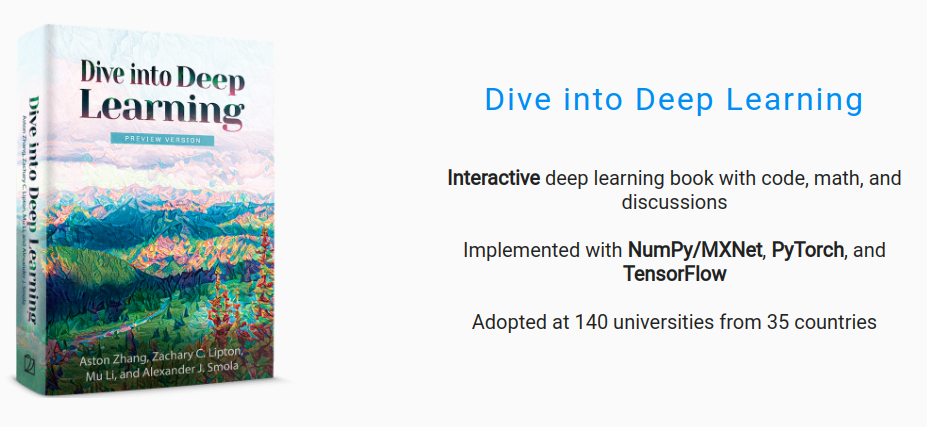
Dive into Deep learning is a Deep learning Textbook. It has end to end concepts about Deep learning and a specialized section for Natural Language Processing. Chapter 14 and Chapter 15 cover the NLP Topics from basics to advanced.
Most impressive thing which I liked about this resource is that the code snippet is provided in three frameworks Tensorflow, pytorch and MXnet. This helps a lot when you want to understand the implementation in any of the frameworks.
Jay Alammar has written very expressive blogs about various concepts about Machine learning and Natural Language processing. The Illustrate Transformer is the best resource to understand the Transformers Architecture. There are various well illustrated blogs on Word2Vec, BERT, GPT2, GPT3.
5. Natural Language Processing Fundamentals — Datacamp
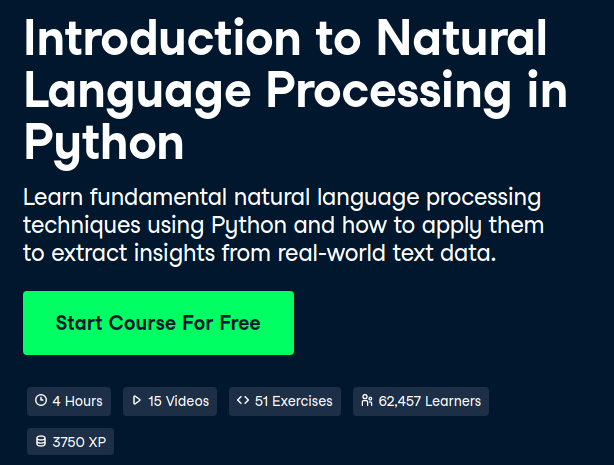
This resource is best for learning the concepts by coding, rather than just going through the materials. Regular expressions, NER are the highlights of this fundamental course along with interactive coding IDE.
Having the right resources to learn at the beginning is very important. Since, many a times we end up spending a lot of time sticking to a single resource and then giving up without completing it.
Proper resources motivate you to learn more
I hope you will find the resources handy when you are getting started or looking to learn a new concept in NLP.
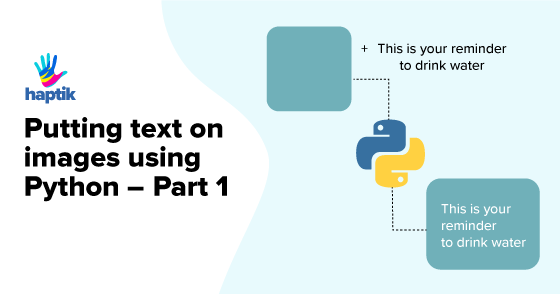
Computer graphics teaches us how a pixel on a screen can be manipulated to draw beautiful shapes, artistic typography, eye-catching illustrations, ‘make-me-look-good‘ photo-filters, and a lot more. Hardware manufacturers, researchers, software developers work together to build great products: smartphones, smartwatches, smart TVs, cameras all with the study of computer graphics.
Despite the fact that computer graphics has evolved so fast and the development of software like Adobe Photoshop, Adobe Illustrator, Sketch has made our lives easier to a great extent, we still cannot generate images on-the-fly with them. In order to do that, we’ll need to reach a level where there is no drag and drop, no fancy select-all-make-bold keyboard shortcuts, no cropping, and no copying-pasting.
And we cannot get there by time-travel, but surely with code!
Getting Started
Come along, open your favorite text editor, follow me and I’ll help you draw dynamic text data on images. I assume you have Pythonand pip installed on your computer, but if not, follow the steps in the links to set up the development environment. After you’ve done setting up, from the shell, execute the below command to install Pillow(more details here)and its dependencies.
As you now have installed all dependencies, let’s move forward and write some code. Pillow is an extensive library, but for our purpose, we’ll be using the following classes:
Image: to create an image object for our greeting background
ImageFont: font of the text we will be drawing on the greeting
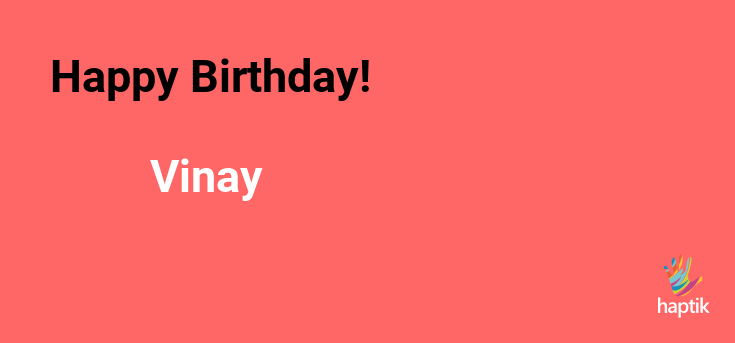
Let’s take the following background image and initialize it with the following code:
Code:
# import required classes
from PIL import Image , ImageDraw , ImageFont
# create Image object with the input image
image = Image . open ( ‘background.png’ )
# initialise the drawing context with
# the image object as background
draw = ImageDraw . Draw ( image )
For creating ImageFont objects we also need font(ttf, otf) files. You can use any font of your choice, here I’ll be using the Roboto font which can be downloaded from the Google Fonts GitHub repo .
# create font object with the font file and specify
# starting position of the message
message = “Happy Birthday!”
color = ‘rgb(0, 0, 0)’ # black color
# draw the message on the background
color = ‘rgb(255, 255, 255)’ # white color
image . save ( ‘greeting_card.png’ )
With some fonts, you might have to pass an optional parameter encoding which tells the ImageFont module which encoding to use while opening the font file.
Computer graphics have an inverted coordinate system, the here represents the distance of the text box from the left origin(0, 0) that lies at the top-left corner of the image. x(x=0) and y represents the distance from the top (y=0).
While you save the image, you can pass optional parameters like optimizeand quality to control the size of the output image.
While at work, I recently developed a feature that demanded the creation of a leaderboard image on-the-fly, with user-specific quiz score data. And just with a few lines of code, I was able to create an image like this:
Haptik Weekly Quiz Leaderboard
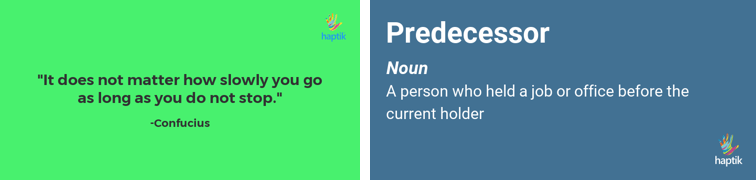
Voila! It looked great and we decided to use the idea of creating images on-the-go, for other use-cases as well. We currently use Pillow to generate images for Jokes, Motivational Quotes, Horoscopes, Word of the Day etc. in real time, and with data from different API responses.
Haptik Motivational Quote & Word of the Day
The code we used in this post is not sufficient to draw text boxes as shown in the images above. I’ll be writing another post that will focus on text alignment, splitting long text into multiple lines, controlling space between two lines, and more.
Please do give us your feedback if any in the comments section below. Haptik is hiring. Do visit our careers section or get in touch with us at hello@haptik.ai.
Want to develop an Intelligent Virtual Assistant solution for your brand?
From the random hi-hello’s to the formal work meetings, SPACIUM CHAT is there for all your virtual-connection requirements. Download the SPACIUM CHAT App today!
AI(Artificial Intelligence) & NLP(Natural Language Processing) are the biggest player in this evolving technology, CHATBOT.
No doubt it’s evolving as the backbone for the customer service industry, But surprisingly it moves diversity lead the Tech future into automation in every factor. Brands & Companies realizes sales bot is an incredibly feasible and versatile tool for automation business process. Chatbot Marketing is a way to promote products and services via a bot.
The key things expect from chatbots are:
Get prompt solutions.
Considering their queries instantly.
Guidance and a better knowledge base throughout the process.
AI bots have already touched businesses, from banks and hospitals to real estate and e-stores, and all types and sizes of units. They aren’t just benefiting businesses but also providing support to non-profit organizations and educational institutions. With the chatbots’ innovation, the burden of time-consuming tasks was quickly transferred to an automated system, allowing businesses to serve their prospects better. It is one way to stay competitive in modern-day commerce.
With the right choice of the chatbot development team, you can save lots of money and raise revenue and overall customer support services. The adoption rate of such marketing ways is rising immensely following the dynamic market. Nowadays, customers are quite smart and intelligent and get annoyed with old CSS ways. Thus, it is quite essential to introduce better and intelligent ways to connect with the audience. For more details
This post is written by Viraj Anchan, Full Stack Engineer at Haptik.
Haptik is a chat application that connects users to their digital personal assistants in real time. When chatting with your personal assistant, you want as little delay as possible in order to get things done quickly.
When I joined Haptik after graduating from college in May 2015, my first technical challenge was learning the messaging architecture. In July 2015, I suggested to our CTO that we shift from XMPP to MQTT. Our mobile apps (Android & iOS) and Athena (web chat tool used by our assistants) used XMPP for real-time messaging. We were facing a lot of issues with XMPP. To point out a few, XMPP lacks built-in Quality of Service (QoS). QoS is an agreement between the sender and receiver of a message regarding the guarantees of delivering a message. Since XMPP lacked the built-in QoS, we had to build our own custom solution to ensure message delivery. Along with that XMPP session is one big long XML document and every client has to use an event-driven XML parser. All in all, XMPP was proving to be a lot of overhead and maintenance for us and we needed a better more scalable solution. In January 2016, we finally decided to shift from XMPP to MQTT.
MQTT is a lightweight machine-to-machine/”Internet of things” connectivity protocol. MQTT stands for MQ Telemetry Transport. MQTT is an extremely simple and lightweight publish/subscribe messaging protocol. It is designed for constrained devices, high latency or unreliable networks. The design principles are to minimize network bandwidth and device resource requirements whilst also attempting to ensure reliability and some degree of assurance of delivery. These principles make MQTT ideal for IOT and mobile apps where bandwidth and battery power are at a premium.
5 reasons why we shifted from XMPP to MQTT
1. Less overhead and lightweight 2. Supports QoS (fire and forget, at least once and exactly once) 3. Low keep-alive traffic 4. Pub/Sub Mechanism 5. Low power usage
MQTT provides 3 types of QoS for delivering messages:
QoS 0 (fire and forget) — The message is delivered at most once. QoS 0 messages are not stored. Therefore QoS 0 messages are lost if client disconnects. In QoS 0, delivery of message is not acknowledged. It is the fastest mode of transfer.
QoS 1 (at least once) — The message is delivered at least once. Messages might be delivered multiple times if sender does not receive an acknowledgement from the receiver. The messages must be stored at the sender’s end, until sender receives a confirmation from the receiver.
QoS 2 (Exactly once) — The message is delivered exactly once. QoS 2 ensures that the message is received exactly once by the receiver. The messages must be stored at the sender’s end, until sender receives a confirmation from the receiver. It is the most reliable mode of transfer. It is also the slowest mode of transfer since it uses an advanced acknowledgement sequence as compared to QoS 1.
MQTT uses a pattern called publish/subscribe. Multiple clients connect to the MQTT broker. Clients can either publish or subscribe to a topic. Topics are used by the broker to decide who will receive a message. The broker and MQTT act as a simple, common interface for everything to connect to.
Our MQTT server is powered by Mosquitto. Mosquitto is an open source message broker that implements the MQTT. It is written in C. Mosquitto is easy to install and deploy. It supports TLS, Websockets and provides authentication either via username/password, pre-shared keys or TLS client certificates. It also supports ACL. Using ACL, you can configure which clients can access which topics. We decided to use Paho Python library for the backend. Our backend maintains an MQTT connection and routes messages through our chat pipeline.
Installation (mosquitto on ubuntu) sudo apt-get install mosquitto
Here is a simple client that subscribes to a topic (sports/cricket/india) and prints out the resulting messages.
<i><span style=”font-weight: 400;”>import paho.mqtt.client as mqtt</span></i>
<i><span style=”font-weight: 400;”># The callback for when the client receives a CONNACK response from the server. </span></i><i><span style=”font-weight: 400;”>def on_connect(client, userdata, flags, rc): </span></i><i><span style=”font-weight: 400;”> print(“Connected with result code ” + str(rc)) </span></i><i><span style=”font-weight: 400;”> client.subscribe(“sports/cricket/india”)</span></i>
<i><span style=”font-weight: 400;”># The callback for when a PUBLISH message is received from the server. </span></i><i><span style=”font-weight: 400;”>def on_message(client, userdata, msg): </span></i><i><span style=”font-weight: 400;”> print(msg.topic +” ” + str(msg.payload)) </span></i><i><span style=”font-weight: 400;”> client = mqtt.Client()</span></i><i> </i>
MQTT has helped to make our application lightweight and ensure real-time reliable message delivery. MQTT is an amazing protocol which has lots applications in mobile, IOT and M2M communications. If you want a lightweight and reliable messaging protocol, then you should definitely consider MQTT.
Wish to be a part of the amazing things we build? Look no further! Reach out to us at hello@haptik.co
Want to develop an Intelligent Virtual Assistant solution for your brand?
Real Time Messaging Using Mqtt was originally published in Chatbots Life on Medium, where people are continuing the conversation by highlighting and responding to this story.